Site Audit
Crawl up to 100 pages of your site for technical SEO issues, read the health score and the issues by severity, and share the audit as a branded link or PDF.
Site Audit crawls your site the way a search engine would and lists what's wrong: broken links, error pages, missing titles and descriptions, duplicate and thin content, and more. Run it before a launch, after a redesign, or for a new client.
Run an audit
In the side menu, under SEO, click Site Audit.
In Domain, type your site, for example example.com.
Click Run audit. It crawls up to 100 pages for $0.03, paid when the crawl starts.
The crawl runs on PeekRank's servers: you can leave the page. Most sites take a few minutes; the audit page shows how many pages it has crawled so far.
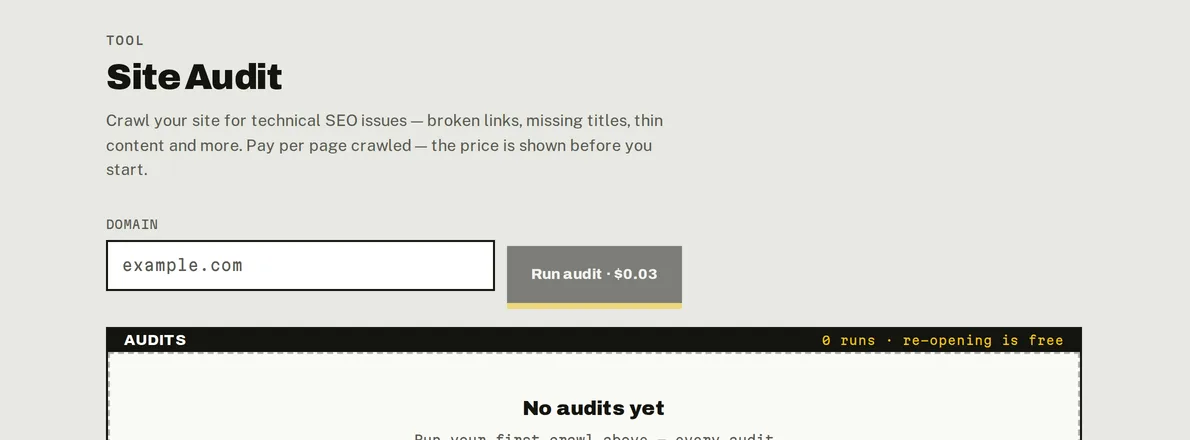
Site Audit: the price of a 100-page crawl is on the button; every audit is kept below.
Read the results
| Health score | 0–100, how healthy the crawled pages are. |
| Pages | How many pages were crawled. |
| Issues | How many kinds of issue were found. |
Issues lists each problem with its Severity and how many pages have it, worst first. Click an issue to see the affected pages (free).
| Severity | Checks |
|---|---|
| High | Broken links · 4xx errors · 5xx errors · Redirect loops · Missing title |
| Medium | Duplicate titles · Missing meta description · Duplicate meta descriptions · Missing H1 · Duplicate content · Canonical to broken page |
| Low | Thin content · Images without alt text |
Only checks with at least one affected page are listed.
Share it or save it as a PDF
- Share audit creates a public, read-only link (not indexed by search engines) with your report branding. Choose when it expires: never, 7, 30 or 90 days.
- Export PDF opens the shared version ready to print or save as PDF.
Both are free. Owners and admins can replace the link (the old one stops working) or revoke it.
Past audits
Audits on the Site Audit page lists your latest 20 audits with their score and number of issues. Opening one is free; a new audit is billed.
If the audit fails
The audit page says why: the site couldn't be reached, its home page returned an error, it tells crawlers not to crawl it (robots.txt, meta robots or X-Robots-Tag), it redirected too many times, or the crawl timed out. Fix the cause and run it again.
Do it from your AI assistant
start_site_audit: Start a site audit (billed). Billed: $0.03 per 100 pages.get_site_audit: Site audit result. Free.list_runs: List saved runs. Free.
From an assistant you can also crawl a different number of pages. Try: "Audit example.com and tell me the three issues to fix first."
Last updated on