Domain Overview
Analyse any domain or page: authority, organic traffic, top pages and keywords. Filter its keywords for free, fetch more that match, load its monthly history.
Domain Overview tells you how much a site ranks for, which pages carry it and which keywords bring its traffic. It works for any domain, yours or a competitor's, and for a single page.
Analyse a domain
In the side menu, under SEO, click Domain Overview.
In Domain, type the site, for example northwind.com.
Pick the Scope: Root domain / subdomain, or Exact URL · one page to analyse a single page.
Click Analyse: at most $0.096, shown on the button.
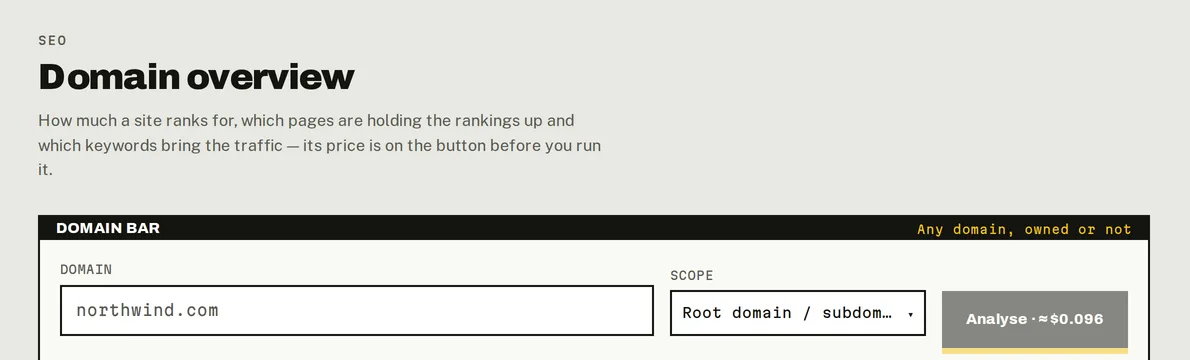
Domain Overview: any domain or page, the price on the button.
Domain Overview reads Google in the United States.
What you get
| Authority | A 0–100 score of the domain's strength, from its backlinks. |
| Organic traffic | Estimated monthly visits from Google search. |
| Ranking keywords | How many keywords it ranks for in Google. |
| Top 10 keywords | How many of them are in the top 10, and in the top 3. |
Top pages: the pages that carry the domain, by share of its traffic, with how many keywords each ranks for.
Top keywords: the 100 keywords where the domain ranks best, with Position, Volume, KD, Intent, Traffic and URL (and CPC and SERP features in Columns). Click a keyword to research it in Keyword Research, or a URL to analyse that page.
Filter its keywords (free)
Above Top keywords, filter the keywords the run stored, as often as you like, without paying:
- Include keywords / Exclude keywords: words the keyword must or mustn't contain.
- URL contains, doesn't contain, starts with or is exactly: the ranking page.
- Position, Volume and KD ranges, Intent, Subdomain, SERP features and Ranks as.
Filters live in the page's address, so you can bookmark or share a filtered view.
Filters work on the 100 stored keywords
A run stores the domain's 100 best-ranked keywords. On a big site, a filter like "positions 21–50" usually finds nothing among them. That's what Fetch matching keywords is for.
Fetch matching keywords
When a filter is on and the domain ranks for more keywords than the run stored, Fetch matching keywords asks for up to 100 more that match your filters, highest volume first. It shows what it will do and costs before you confirm: at most $0.048 per batch. The new keywords join the run, so filtering them again is free. Click Fetch next for another batch; a run holds up to 1,000 keywords.
Some combinations of filters can't all be sent at once; the dialog tells you which ones are only applied in the page.
Monthly history
Under the figures, Domain history can show the domain's last 24 months: keywords in the top 3, 10 and 50, and estimated organic traffic. Click Load 24 months ($0.30). If the workspace already loaded this domain's history (here or in a project), it shows for free. History is per domain, not per page.
Send keywords to a project
Tick keywords in Top keywords (or Select all … matching your filters) and click Add to project. The project with the same domain is preselected. Their volume, CPC, difficulty and intent come along. See Track keywords.
A project can also import every keyword its domain's latest Domain Overview found, in one click: see Import the keywords you already rank for.
Saved runs
The newest run for a domain opens for free, whenever you come back or follow a link to it. A new Analyse is billed.
Do it from your AI assistant
domain_overview: Domain overview (billed). Billed: $0.096 per call.fetch_domain_keywords: Fetch more keywords of a domain overview (billed). Billed: $0.048 per 100 keywords.load_domain_history: Load a domain's monthly history (billed). Billed: $0.30 per 24 months.get_run: Read a saved run. Free.list_runs: List saved runs. Free.
Try: "Analyse northwind.com and tell me which of its pages bring the most traffic." or "From my last overview of northwind.com, list the keywords in positions 4 to 10 with more than 1,000 searches."
Last updated on
Keyword Research
Find keyword ideas with search volume, CPC, difficulty and intent, country by country, see who ranks for them, and send the best ones to a project.
Backlink Overview
See a domain's authority, backlinks and referring domains, its anchor texts, and load its individual links with the exact page, anchor and status.