Keyword Research
Find keyword ideas with search volume, CPC, difficulty and intent, country by country, see who ranks for them, and send the best ones to a project.
Keyword Research takes one term and returns up to 200 related keyword ideas with their monthly search volume, cost per click, difficulty and intent, plus the term's own figures and the top 10 Google results for it. Use it to find what to write about, or what to track.
Run a keyword research
In the side menu, under SEO, click Keyword Research.
In Keyword or seed, type a term, for example rank tracker for agencies (up to 80 characters).
Pick the Country (each comes with its language; United States by default) and the Engine: Google or Bing.
Click Run. The button shows the price before you click: at most $0.10 per run.
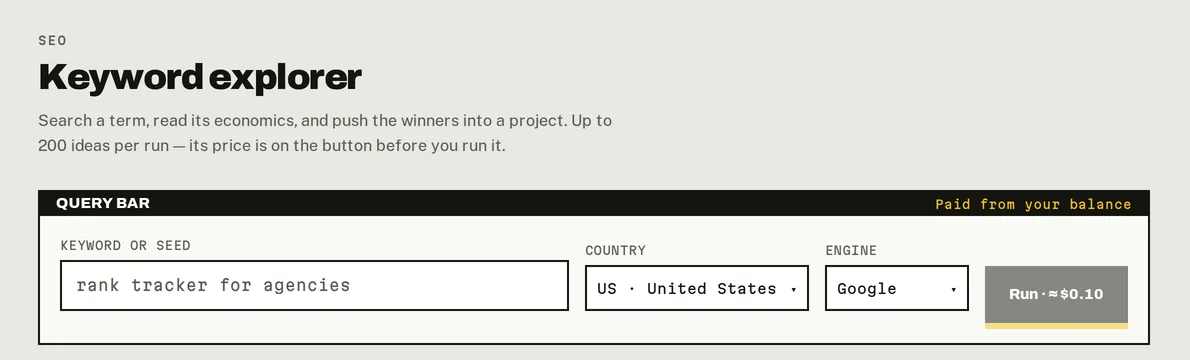
Keyword Research: type a term, pick a market, and the price is on the button.
What you get
The seed: four figures for the term you typed.
| Volume | Monthly searches. |
| KD | Keyword difficulty, 0–100: low under 30, medium under 60, high above. |
| CPC | What advertisers pay per click, a sign of commercial value. |
| Intent | Informational, navigational, commercial or transactional. |
Related keywords: up to 200 ideas with Volume, CPC, KD and Intent. Filter them, filter by intent, sort any column, and export them (Export CSV, Copy).
SERP preview: the top 10 organic results for the seed, and whether Google shows an AI Overview or People Also Ask for it. Click a result's title to analyse its site in Domain Overview; the ↗ opens the page itself.
Go deeper
- A related keyword's detail: click a keyword in the list to see its four figures (free, from the run) and its own top 10 results ($0.004). ← Back to returns to the list.
- AI demand: click Load AI demand above the list to add an estimate of how often each question comes up in AI answers ($0.06 for the seed and all its ideas). See AI demand.
- Send keywords to a project: tick keywords and click Add to project. See Track keywords.
Saved runs
Every run is saved. When you open Keyword Research, your latest run is there, and opening it again is free: the line under the button says so. Links from other tools (a keyword in Domain Overview, for example) open your saved research for that term if you have one, and only run a new one if you don't.
A new Run is always billed, even for a term you researched before.
Good to know
- Volumes and difficulty come from the market you pick; 14 markets are available.
- When you reopen a saved run, the Country picker shows the default again: check it before you run a new one.
- Keyword Research is billed per run, whatever you do with the ideas afterwards: filtering, exporting and opening the run again are free.
Do it from your AI assistant
keyword_research: Keyword research (billed). Billed: $0.10 per call.keyword_lookup: One keyword's metrics and top 10 (billed). Billed: $0.028 per call.load_ai_demand: AI demand of a keyword research (billed). Billed: $0.06 per run (≤ 201 keywords).list_runs: List saved runs. Free.get_run: Read a saved run. Free.
Try: "Find keyword ideas for 'trail running shoes' in the UK and give me the 10 with the best volume for a low difficulty."
Last updated on
Read the project page
Every block of a PeekRank project page explained, from the overview figures and movers to the weekly domain and backlinks snapshot.
Domain Overview
Analyse any domain or page: authority, organic traffic, top pages and keywords. Filter its keywords for free, fetch more that match, load its monthly history.