Free data and your balance
How PeekRank's free monthly data and prepaid balance work, what's free and what's billed, what happens when you run out, and the daily safety limit.
PeekRank has no subscription and no seat fees. The tool is free; you pay only for the fresh data you fetch, in dollars, from two pockets:
| How it works | |
|---|---|
| Free data | $1 every month, on us, for every workspace. It refills to $1 on the 1st at 00:00 UTC, doesn't roll over, and is always spent first. |
| Your balance | What you top up, from $5. It never expires and is used after the month's free data. |
AppSumo lifetime deals get more free data every month ($2, $4 or $6) and extra data on every top-up.
What spends data
Only actions that fetch fresh data: a rank check, a research run, a domain or backlink analysis, a gap, an audit, loading history, asking AI engines your prompts. Each button shows its price before you click, and the app shows what was billed after. Prices and limits lists them all.
Everything else is free: projects, keywords, seats, share links, branding, re-opening anything you already ran, filtering and exporting, and the AI visibility pages that read your stored checks.
See your balance
Owners and admins see both pockets on Data & billing (and in short on Projects):
- Free data · month: what's left of this month's free data, and when it refills.
- Your balance: what you've topped up and haven't spent.
Members see the pockets read-only. When either pocket runs low, owners and admins see a yellow banner.
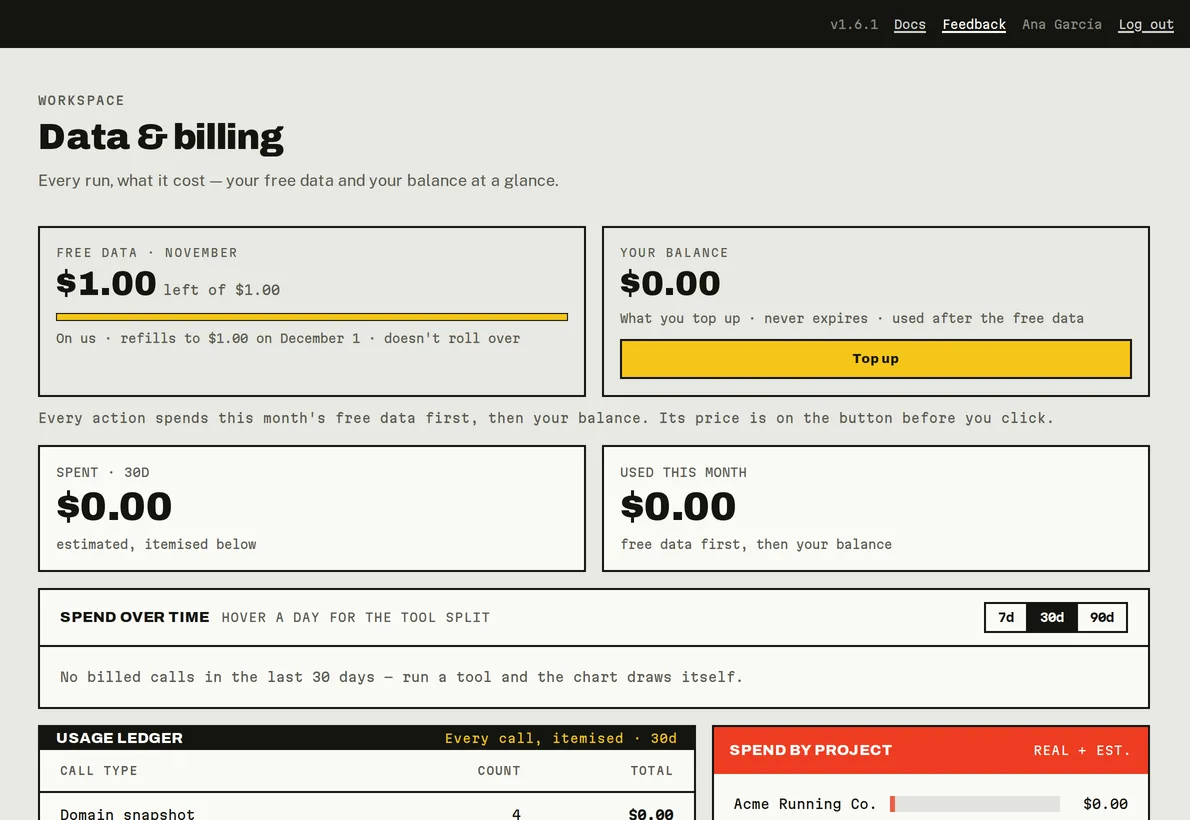
The two pockets on Data & billing.
When you run out
When the free data and your balance are both used up:
- Billed buttons are refused with a message saying when your free data refills, and offering to top up. A run that costs more than what's left is refused too, before anything is billed.
- Automatic rank checks, weekly snapshots and scheduled AI prompts pause. They aren't lost: they run again as soon as there's data, on the 1st or right after a top-up.
- Everyone sees a red banner, and owners and admins get one email that month.
- Your projects, history and saved runs stay, and everything free keeps working.
The daily safety limit
Each workspace can spend up to $25 of balance a day, so a runaway script or AI loop can't drain it. When it's reached, billed tools pause until 00:00 UTC with Today's data limit is reached, and your balance is untouched. If you need more in a day, write to info@peekrank.io.
Your AI assistant has its own, lower limits on top of this one: see Spending limits for assistants.
Several runs at once
If several billed actions start at the same moment and together would cost more than what's left, PeekRank refuses them rather than overspend: Other runs in progress are using the rest of this workspace's data. Try again once they finish.
Do it from your AI assistant
get_budget: Budget and limits. Free.get_spending: Spending report. Free.
Try: "How much PeekRank data do I have left this month?"
Last updated on