Read the project page
Every block of a PeekRank project page explained, from the overview figures and movers to the weekly domain and backlinks snapshot.
A project's page answers "how is this site doing?" at a glance. Open it from Projects or the Project picker in the side menu. From top to bottom:
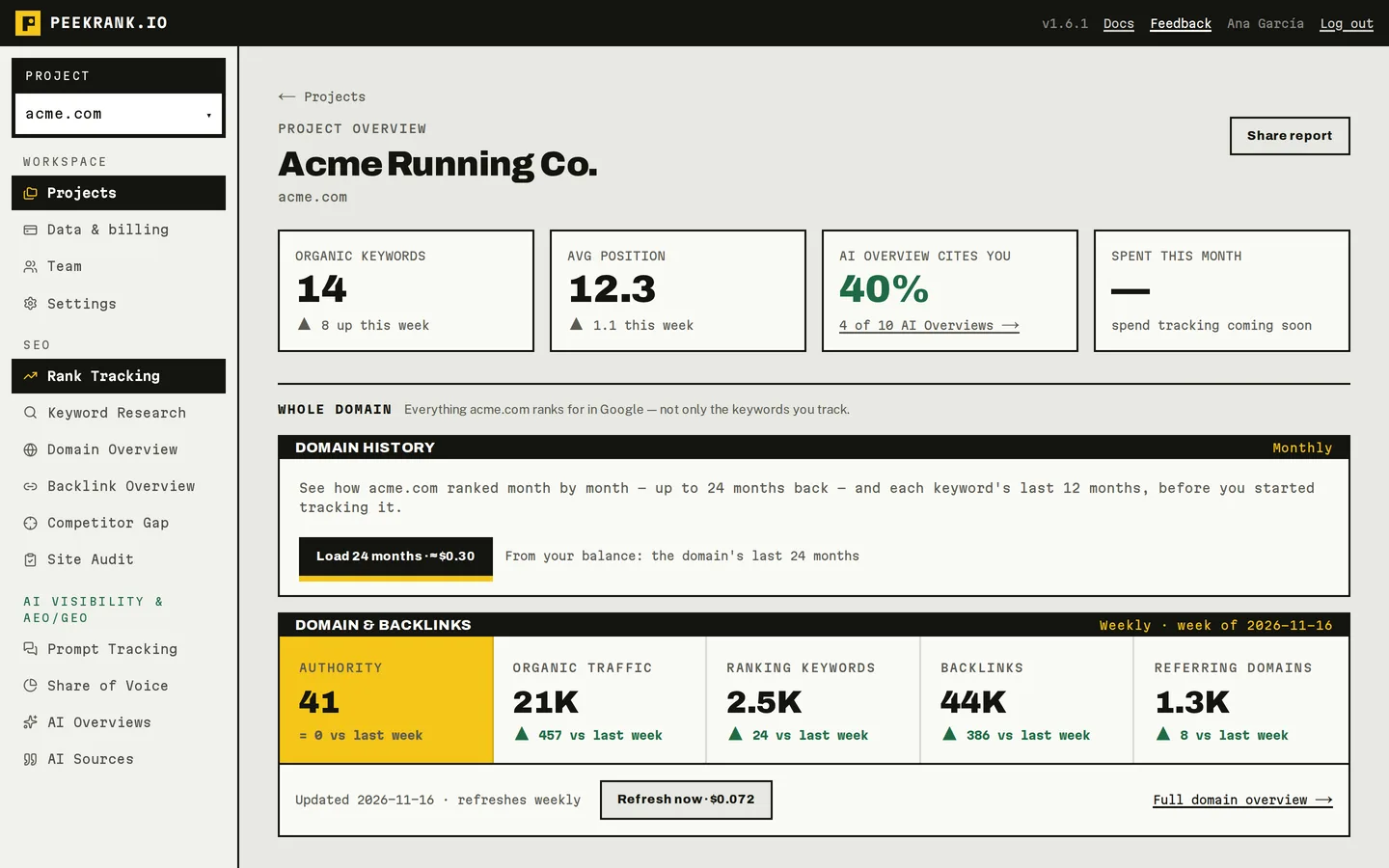
The top of a project page (sample data).
Overview
| Figure | What it shows |
|---|---|
| Organic keywords | How many of your tracked keywords are in Google's top 100, and how many moved up this week. |
| Avg position | The average position of those keywords, and how it changed this week. |
| AI Overview cites you | Of the keywords where Google showed an AI Overview, the share that cite your domain. Click it to open AI Overviews. |
Share report (top right) creates a read-only link for a client. See White-label reports and share links.
Whole domain
Everything the domain ranks for, not only the keywords you track.
Domain history
Your domain's month-by-month rankings and estimated organic traffic, once you load them (Load 24 months). See Ranking history.
Domain & backlinks
A weekly snapshot of the domain, taken automatically for every project with a domain:
| Figure | |
|---|---|
| Authority | A 0–100 score of the domain's strength, from its backlinks. |
| Organic traffic | Estimated monthly visits from Google search. |
| Ranking keywords | How many keywords it ranks for in Google. |
| Backlinks | Links pointing to it from other sites. |
| Referring domains | How many different sites link to it. |
Each figure shows its change against last week. The snapshot costs $0.072 a week per project. To take this week's snapshot now instead of waiting, click Refresh now and confirm ($0.072). Full domain overview → opens Domain Overview for the domain.
Tracked keywords
Only the keywords this project tracks.
Trend
- Rankings distribution: how many keywords are in the top 3, top 10, top 20 and top 100 over time.
- Top-10 share: the share of your keywords in the top 10.
- Cited in AI Overviews: how often Google's AI Overview cites you for them.
It shows the last 90 days, weekly; once you have three months of history (for example after loading past rankings) you can switch to 12 months, monthly.
Movers this week
The keywords that moved 3 places or more in the last week: where they were, where they are now, the change, and the channel (ORGANIC, or AI when it's about Google's AI Overview). NEW marks a keyword with no position a week ago.
The keywords table
Every tracked keyword with its position, change, volume, difficulty and trend. Add, check, import and remove keywords here. See Track keywords.
When blocks are empty
| You see | Why |
|---|---|
| No domain set / Set a domain on the project to load its history | The project was created without a domain. A project's domain can't be added later: create a new project with it. |
| first check pending / after the first check | The weekly snapshot hasn't run yet for this project. |
| Nothing moved 3+ positions this week | Movers need two checks a week apart. |
| No ranked keywords yet | Your keywords haven't been checked yet, or none is in the top 100. |
Do it from your AI assistant
get_seo_snapshot: SEO snapshot. Free.get_project: Get project rankings. Free.whats_changed: What changed. Free.get_domain_metrics: Domain metrics. Free.refresh_domain_metrics: Refresh a project domain's numbers (billed). Billed: $0.072 per call.
Try: "What changed in my acme.com project this week?" or "Give me a one-paragraph update on acme.com for my client."
Last updated on
Ranking history
Load up to 12 months of past positions for each keyword and 24 months for your domain, read a keyword's history, and what it costs.
Keyword Research
Find keyword ideas with search volume, CPC, difficulty and intent, country by country, see who ranks for them, and send the best ones to a project.